

Table of contents Show Hide
- The problem: where does experience go after a conversation?
- Four stages of a knowledge workflow
- Import the context
- Distill a useful reading layer
- Retrieve by meaning and explore relationships
- Reuse knowledge in the next task
- Shared responsibilities, multiple interfaces
- Start with a familiar set of conversations
- Implementation and workflows
The problem: where does experience go after a conversation?
AI coding histories contain more than code. They also hold debugging context, failed attempts and the reasoning behind a decision. When that material stays scattered across tools, the next similar problem begins with another search for context.
ChatCrystal organizes a workflow around turning those conversations into reusable experience: import the source material, distill notes, retrieve related knowledge and bring it into the next task.
Four stages of a knowledge workflow
This is a conceptual workflow, not a promise that every stage runs automatically after import. In particular, remote-instance imports and summarization are separate actions, allowing users to decide when to process content with a model.
Import the context
The project supports local histories from tools including Claude Code, Cursor, Codex CLI, Trae and GitHub Copilot. A shared workspace makes it easier to find related conversations without remembering which client originally held them.
Distill a useful reading layer
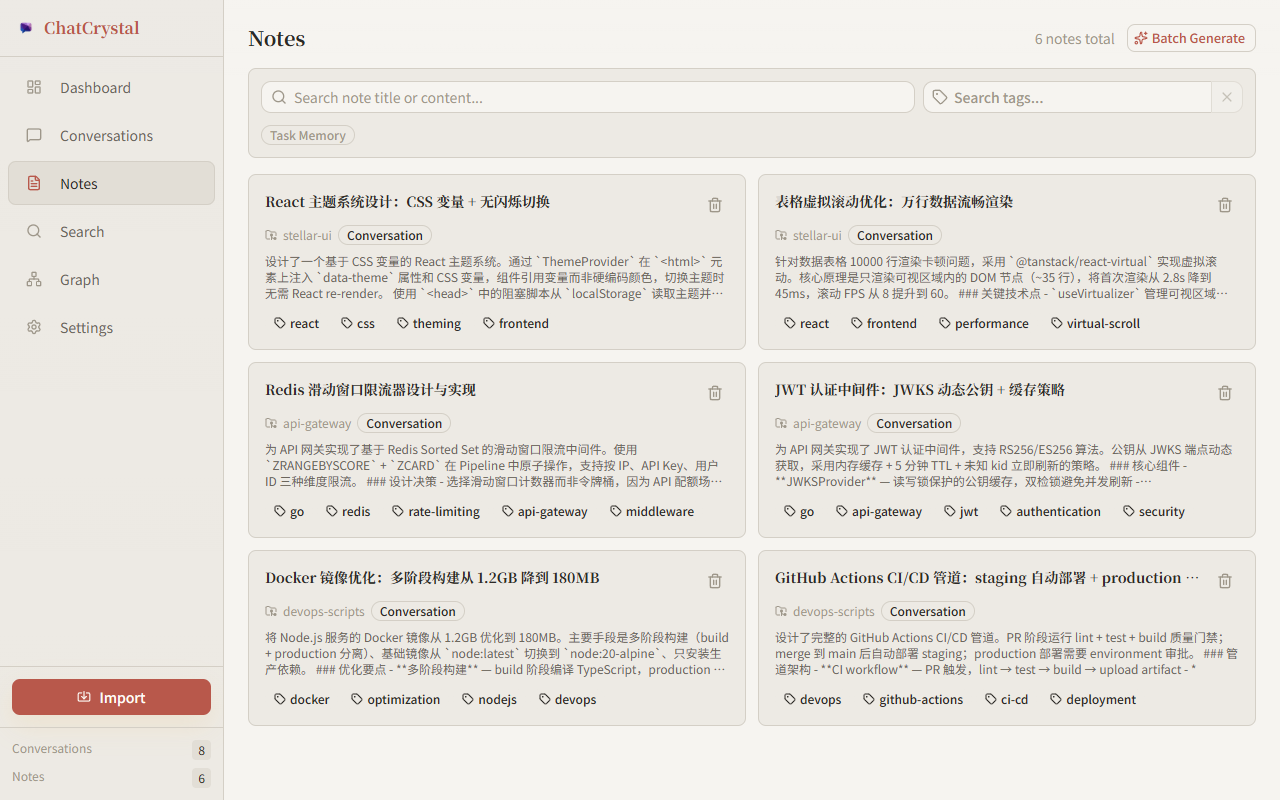
Notes include titles, summaries, conclusions, code snippets and tags. The source conversation carries the context; a structured note offers a shorter entry point for deciding whether an experience is relevant.
Retrieve by meaning and explore relationships
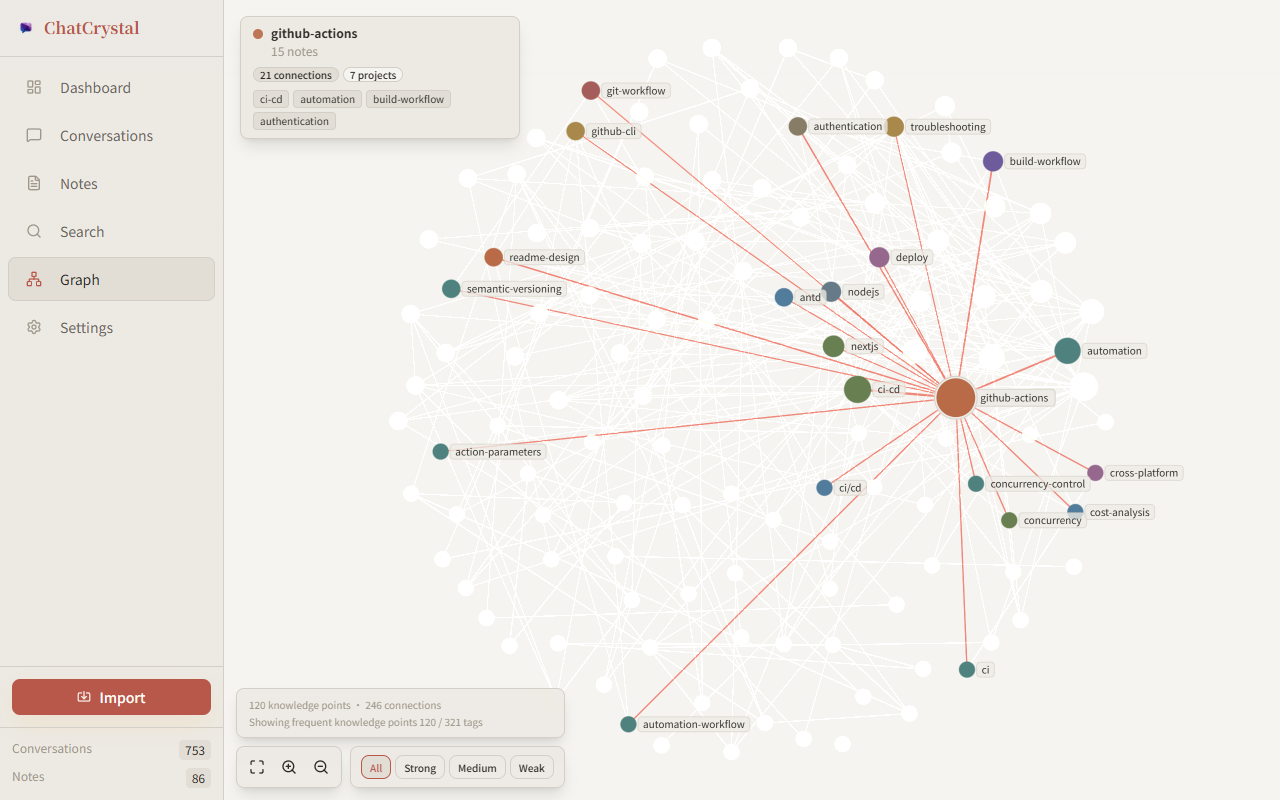
Semantic search helps find relevant experience even when the wording differs. The tag graph provides an additional way to explore related topics. Connections based on tag co-occurrence describe associations, rather than proving causation.
Reuse knowledge in the next task
CLI and MCP interfaces let agents recall existing experience and write new records back. Knowledge can participate in another coding workflow instead of remaining a document that must be found and copied manually.
Shared responsibilities, multiple interfaces
The TypeScript repository includes a React client, Fastify server and Electron desktop entry point. Desktop, CLI / Web and Docker self-hosting offer different access patterns. The diagram summarizes responsibilities, not an exact deployment topology.
| Choice | Benefit | Tradeoff |
|---|---|---|
| Local-first workflow | Organize your own histories and knowledge | Does not imply offline inference |
| Separate LLM and embedding settings | Choose generation and retrieval providers independently | The model types are not interchangeable |
| Conversations and notes | Preserve context alongside concise results | Generated conclusions still need judgment |
| CLI / MCP access | Reuse knowledge in automation and agent tasks | Results must be evaluated for the current task |
Content processed by an external LLM or embedding service is sent to that configured provider. The deployment and model choices determine where processing happens.
Start with a familiar set of conversations
Import one project, inspect the source records, generate a small batch of notes and search for a problem you remember solving. This makes it easier to assess the workflow against your own needs.
See the README for installation and configuration, and the development guide for implementation details.
Implementation and workflows
- Five AI conversation data formats: format differences and import limitations.
- Choosing a local vector store: deployment, retrieval, and index-recovery tradeoffs.
- Exporting ChatCrystal notes to Obsidian: a Markdown snapshot workflow that preserves note content and relationships.
- Local-first and cloud AI: data boundaries across storage, inference, and agent clients.
- RAG and knowledge graphs: candidate retrieval, note relationships, and one-hop expansion.
- Knowledge bases for AI agents: recall, validation, and writeback grounded in evidence.