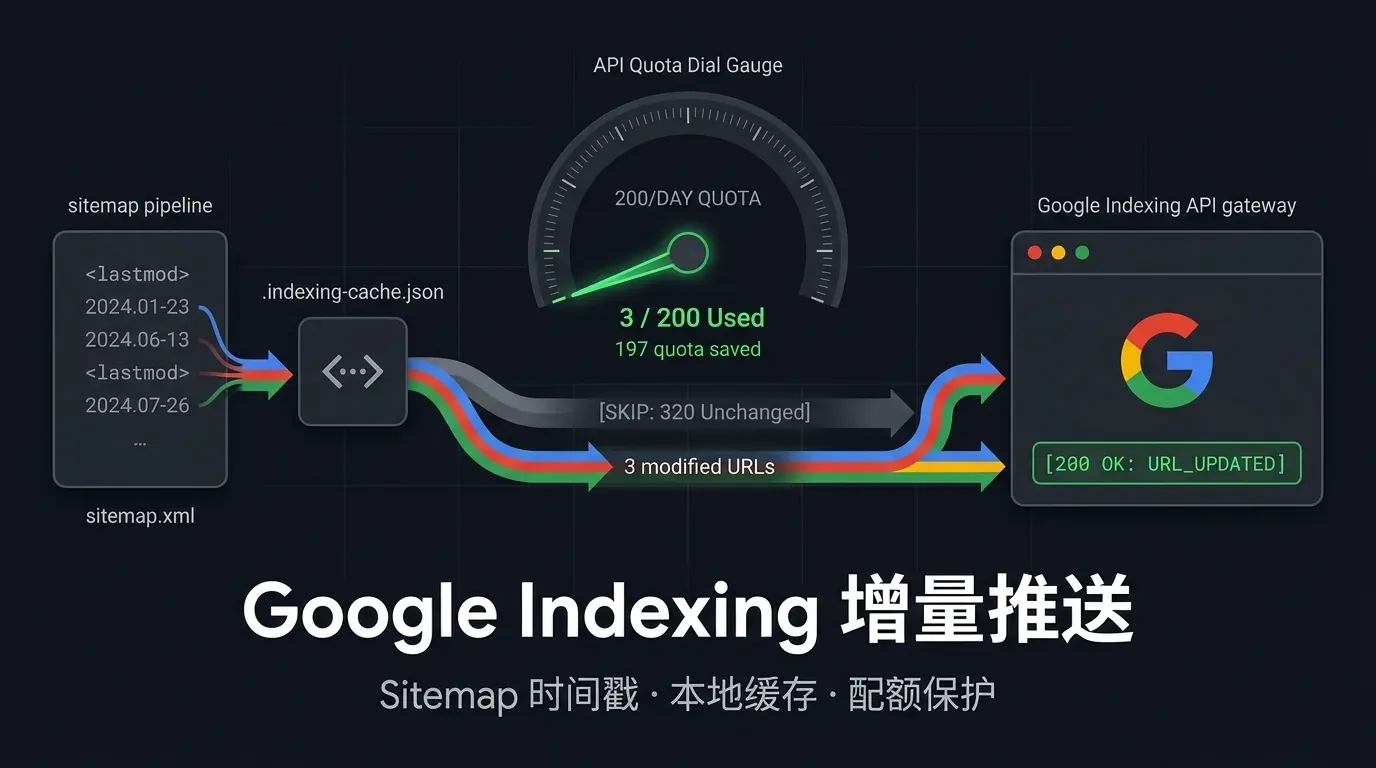
在 Astro 站点里明明全部使用了 astro:assets 的 <Image /> 组件,部署到 Cloudflare Workers 后首屏封面和文章配图却依然有肉眼可见的加载停顿——排查本站(Astro 7 + @astrojs/cloudflare v14,对照提交 d5cd057)时,Network 面板暴露了两个叠加在一起的根因:一方面,仓库里 34 张博客封面与项目截图全是 450~734 KB 的原始 .jpg / .png(合计 17.02 MB);另一方面,无参的 adapter: cloudflare() 默认关闭了构建期静态编译,把页面上每一张图片都改写成了 /_image?href=%2F_astro%2F...&w=...&f=webp 运行时 Worker 请求。
将源码栅格图批量转码为高质量 .webp 并切换至 cloudflare({ imageService: 'compile' }) 后,全站源码图片体积降至 2.13 MB(-87.5%),列表卡片缩略图降至 8~21 KB 且 100% 走边缘 CDN 静态直出。但在切换编译模式的瞬间,构建后置校验脚本抓出了一个极易漏检的隐蔽故障:astro build 退出码为 0,全站 31 处 og:image、JSON-LD image 与图片 Sitemap 却全部指向了被自动清理的 404 路径。本文完整记录排查链路、格式边界与防回退校验方案。
为什么用了 Astro <Image /> 部署到 Cloudflare 还是加载慢
在未挂载服务端适配器时,Astro 默认在 astro build 阶段调用内置的 sharp 服务预生成静态 WebP 文件;但一旦在 astro.config.mjs 中引入 @astrojs/cloudflare 并无参调用 cloudflare(),适配器默认会将 imageService 设为 'cloudflare-binding',放弃构建期预编译,转而在每次冷节点收到 /_image?href=... 请求时唤醒 Worker 动态拉取原图并实时转码。
对于以图文内容为主的预渲染博客、文档站与作品集站点,所有封面和截图在构建时就已完全确定,根本不需要按请求动态裁剪。运行时的 /_image 链路不仅让未命中缓存的冷边缘节点多承担一次 Worker 启动与图像编码延迟,还会把几百 KB 的未压缩原始 .jpg / .png 原封不动塞进静态产物目录。
| 对比维度 | cloudflare() 默认(cloudflare-binding) |
cloudflare({ imageService: 'compile' }) |
|---|---|---|
| 图片转换时机 | 访客请求 /_image?href=... 时由边缘 Worker 实时转换 |
astro build 阶段由本地 / CI 的 Node.js sharp 一次性预编译 |
| HTML 渲染路径 | /_image?href=%2F_astro%2Fcover.xxx.jpg&w=640&f=webp |
/_astro/cover.xxx_Z21kPRn.webp(纯静态哈希路径) |
| 边缘缓存策略 | 依赖动态端点响应缓存,冷节点首次请求有转码延迟 | 自动写入 _headers:Cache-Control: public, max-age=31536000, immutable |
| Worker 与绑定开销 | 需绑定 IMAGES 服务并消耗运行时请求与转码配额 |
零 Worker 唤醒、零运行时算力消耗,纯静态 Assets CDN 直出 |
只需在 astro.config.mjs 中显式声明 compile 模式,Astro 就会在 workerd 预渲染收集完静态路由后,切回 Node sharp 管线批量输出多尺寸 .webp 变体:
// astro.config.mjs
import { defineConfig } from 'astro/config';
import cloudflare from '@astrojs/cloudflare';

export default defineConfig({
  output: 'static',
  // 静态内容图片在构建期通过 Sharp 预编译为响应式 WebP,跳过运行时 /_image Worker 转发
  adapter: cloudflare({ imageService: 'compile' }),
});
同时检查页面与 MDX 正文中的 <Image /> 调用:列表卡片配置 widths={[320, 640, 960]},正文宽幅截图配置 widths={[640, 960, 1280]} 与匹配的 sizes 属性(并像处理轮播图亚像素渲染细节一样保持明确的宽高比容器),避免浏览器在窄屏下误选超宽原图。
源码栅格图批量转 WebP 与不可转换的格式红线
开启构建期编译后,将仓库内的原始 .jpg / .png 源码资产统一转码为 .webp 依然有显著收益:本站 34 张内容配图从 17.02 MB 直接降到 2.13 MB(缩减 87.5%),大幅减少了 Git 克隆体积与 CI 构建时的图像解码耗时。但转码时必须区分“插画封面”与“含精细文字的 UI 截图”,并严格保留系统级图标的 PNG 原格式。
针对渐变丰富的封面插画,quality: 82 已能做到肉眼无损;而针对包含代码或小字号界面文本的应用截图(如 ChatCrystal 笔记列表与 Telegram 审核卡片),默认的 4:2:0 色度抽样会让高对比度文字边缘发虚,开启 smartSubsample: true 并提高到 quality: 86 可以在保持文字锐利的同时压掉 60%~86% 的体积:
import fs from 'node:fs/promises';
import path from 'node:path';
import sharp from 'sharp';

const targets = [
  ['src/assets/blog', { quality: 82, effort: 6 }],
  ['src/assets/projects', { quality: 86, effort: 6, smartSubsample: true }],
];

for (const [dir, webpOptions] of targets) {
  const files = (await fs.readdir(dir)).filter((f) => /\.(jpe?g|png)$/i.test(f));
  for (const file of files) {
    const srcPath = path.join(dir, file);
    const outPath = path.join(dir, file.replace(/\.(jpe?g|png)$/i, '.webp'));
    const srcMeta = await sharp(srcPath).metadata();

    await sharp(srcPath).webp(webpOptions).toFile(outPath);

    // 校验输出格式与像素尺寸完全一致后,再清理被替换的旧文件
    const outMeta = await sharp(outPath).metadata();
    if (
      outMeta.format !== 'webp' ||
      outMeta.width !== srcMeta.width ||
      outMeta.height !== srcMeta.height
    ) {
      throw new Error(`Dimension mismatch on ${outPath}`);
    }
    await fs.unlink(srcPath);
  }
}
全站切 WebP 时切忌一刀切全局替换。以下三类资产有明确的客户端协议约束,必须保留原格式:
| 资产路径与类型 | 必须保留的格式 | 不可转为 WebP 的工程原因 |
|---|---|---|
public/apple-touch-icon.png |
PNG | iOS Safari 添加到主屏幕图标规范要求不透明 PNG,WebP 会回退为网页快照 |
public/pwa-*.png / favicon-*.png |
PNG | Android / 桌面端 Web App Manifest 与旧版浏览器标签页图标依赖标准 PNG |
src/assets/branding/og-background.jpg |
JPG / PNG | 构建期由 Satori / Sharp 合成 /og/*.png 社交分享卡片的内部底图,公开产物仍需输出兼容性最广的 PNG |
开启 imageService: 'compile' 后的隐蔽 404 陷阱:image.src vs getImage()
切换到 imageService: 'compile' 后最危险的坑不在页面 <img> 标签上,而在 <head> 元数据里:如果布局组件直接读取 Content Collection 的 entry.data.image.src 填入 og:image、JSON-LD image 与图片 Sitemap,astro build 会静默成功,但这些 URL 在生产环境全部返回 404。
原因在于 Astro 编译管线的产物清理机制:
- Content Collection 通过
image()schema 导入图片时,image对象上的image.src是 Vite 生成的未转换原始路径(例如/_astro/agent_memory_loop_cover.BNw6CG8C.webp)。 - 在默认的
cloudflare-binding模式下,原始文件必须留在dist/client/_astro/中供运行时/_image读取,所以image.src恰好能访问。 - 切到
compile模式后,Astro 只会把经过<Image />或getImage()注册的转换变体(例如/_astro/agent_memory_loop_cover.BNw6CG8C_1cBDnt.webp)写入dist/client/_astro/,并在构建收尾时删除未被引用的原始image.src副本以避免产物膨胀。
修复方法是在布局层的 Frontmatter 脚本中调用 astro:assets 的 getImage(),将元数据封面显式注册进静态编译队列,拿到真实落盘的编译后 URL,同时注意修正 ogImageAlt 的判等条件(不能再与原始 image?.src 比较):
---
// src/layouts/BlogLayout.astro(ProjectLayout.astro 同理)
import { getImage } from 'astro:assets';
import { getBlogOgPath, getDefaultOgPath, isShareableImage } from '@/lib/og/svg';

// ❌ 错误写法:compile 模式下原始 image.src 会被清理,导致 og:image 与 Sitemap 404
// const ogImage = image && isShareableImage(image.src) ? image.src : fallbackOgPath;

// ✅ 正确写法:通过 getImage() 注册编译任务并获取真实输出的静态 WebP 路径
const shareableCover =
  image && isShareableImage(image.src)
    ? (await getImage({ src: image, format: 'webp' })).src
    : null;

const ogImage =
  shareableCover ?? (slug ? getBlogOgPath(postSlug, localePrefix) : getDefaultOgPath());

// 只有命中文章自带封面时才复用封面 alt,落入自动生成的标题卡片时回退为文章标题
const ogImageAlt = shareableCover ? imageAlt || title : title;
---
别只信构建退出码 0:产物落盘校验与 Vitest 防回退门禁
正如之前在 GSC「备用网页」尾斜杠与构建校验排查 中验证过的经验一样,静态站点的许多线上事故(空文件、失效的 canonical、被清理的 og:image)在 astro build 时都不会报错。要彻底封死这类隐性回归,需要把检查建立在**最终构建产物(dist/client)**与自动化单测之上。
本站此次之所以能在推送前当场拦截 28 篇博文和 3 个项目页的 image.src 404,靠的是构建后置脚本 verify-article-images.mjs:它直接解析 dist/client/**/*.html 中实际渲染出的 JSON-LD(同时覆盖 BlogPosting 与项目详情页的 SoftwareApplication),逐一核对图片地址既存在于 sitemap-0.xml 的 <image:loc> 中,又能在 dist/client 磁盘上读到真实字节:
// scripts/verify-article-images.mjs 核心校验逻辑节选
const entries = [
  ...(await collectArticleMetadata(outDir)), // 提取所有 BlogPosting JSON-LD image
  ...(await collectProjectMetadata(outDir)), // 提取所有 SoftwareApplication JSON-LD image
];

for (const entry of entries) {
  if (!sitemapImages.get(entry.canonical)?.includes(entry.image)) {
    failures.push(`Sitemap image missing: ${entry.canonical}`);
  }
  const url = new URL(entry.image);
  const filePath = join(outDir, decodeURIComponent(url.pathname));
  const bytes = await readFile(filePath).catch(() => null);
  if (!bytes) {
    failures.push(`Article image file missing: ${entry.image}`);
  }
}
配合 Vitest 单测扫描 src/assets/blog 与 src/assets/projects 目录(一旦有人误提交 .jpg / .png 或回退 astro.config.mjs 中的 imageService: 'compile' 即刻报错),整套图片管线的实测收益被稳固锁死:
- 仓库源码图片体积:34 张栅格图从 17.02 MB 降至 2.13 MB(-87.5%);
- 实际页面传输体积:全站 247 个 HTML 页面中
/_image?href=动态请求降为 0 处,列表缩略图仅 8.2~20.8 KB,详情页高清首图仅 40~78 KB; - SEO 与社交预览完整性:全站 142 个文章与项目页面的
og:image、Schema.orgimage与图片 Sitemap 100% 指向真实存在的静态边缘资产。